Introduction to the Hero11 Mobile Interface
Modern mobile gaming applications succeed or fail based on their usability, navigation fluidity, and interface clarity. The Hero11 mobile application (commonly searched as the Hero 11 app) presents an ambitious unified interface designed to host hundreds of real-time game rooms alongside competitive sports leagues.
Rather than fragmenting its offerings into separate standalone apps for sports betting, fantasy leagues, and digital slot machines, Hero11 brings them together within a consolidated single-page application framework.
In this exhaustive interface walkthrough, we analyze the visual hierarchy, component architecture, and functional workflows revealed across all seven captured screenshots of the platform. For an overarching strategic perspective on the platform's origin and services, start with our Hero11 platform overview.
The Persistent Header & Account Status Bar
Across every primary screen, Hero11 maintains a persistent header that establishes brand identity and provides immediate access to essential account operations.
Guest Mode vs. Authenticated User State
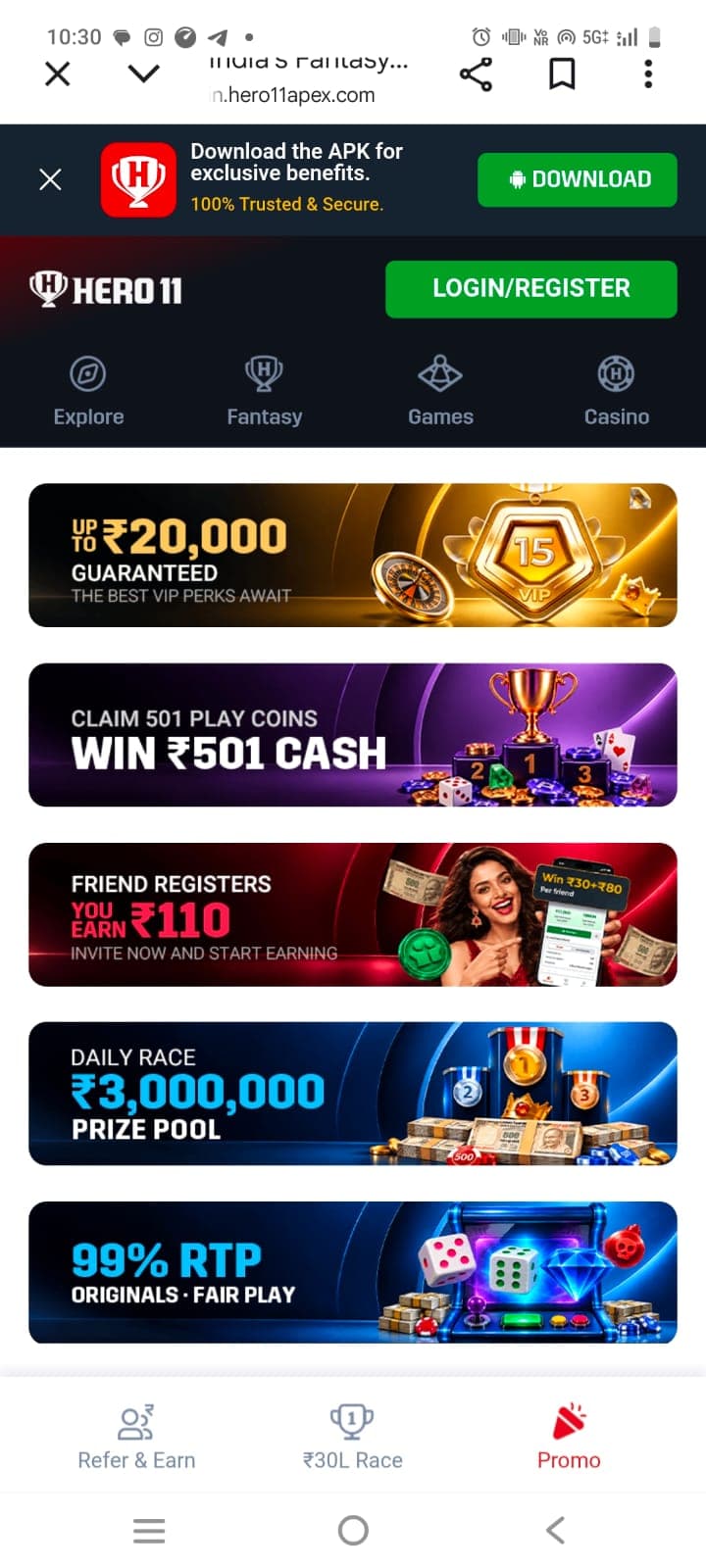
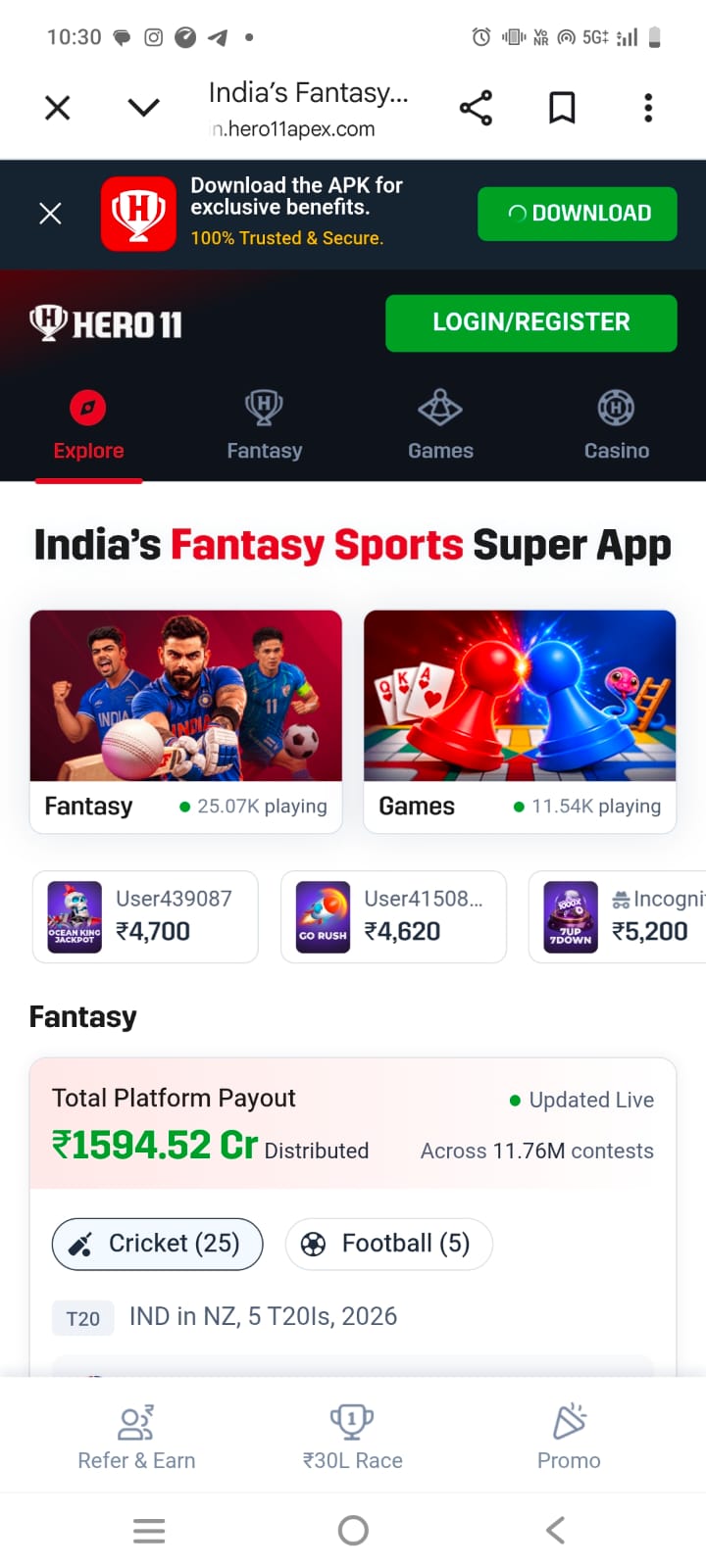
As shown in screenshot 4, when an unauthenticated visitor navigates to the platform:
- The top header prominently features a high-contrast bright green button labeled LOGIN/REGISTER.
- Above the navigation bar sits a full-width promotional banner reading: "Download the APK for exclusive benefits. 100% Trusted & Secure." with an Android [DOWNLOAD] button and an accessible dismiss close icon (X).
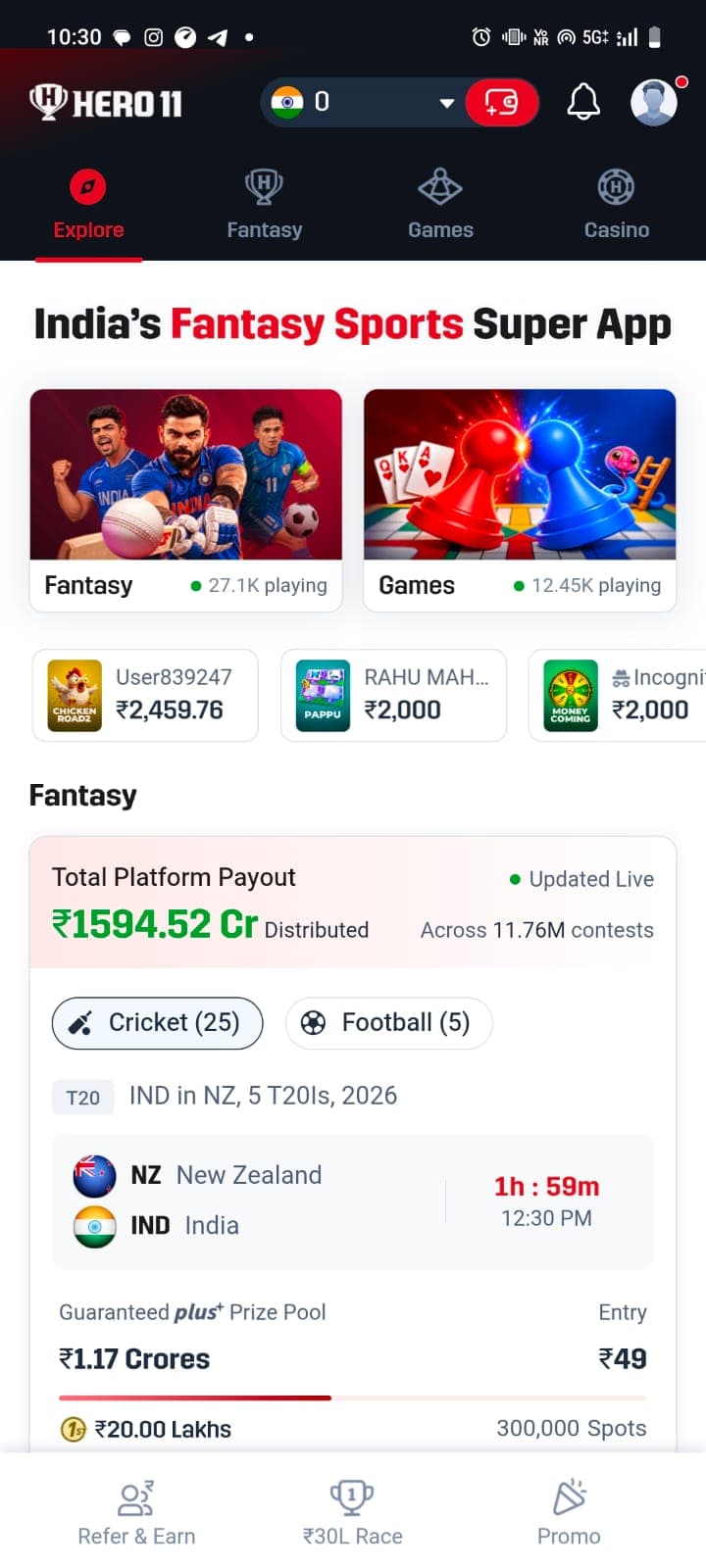
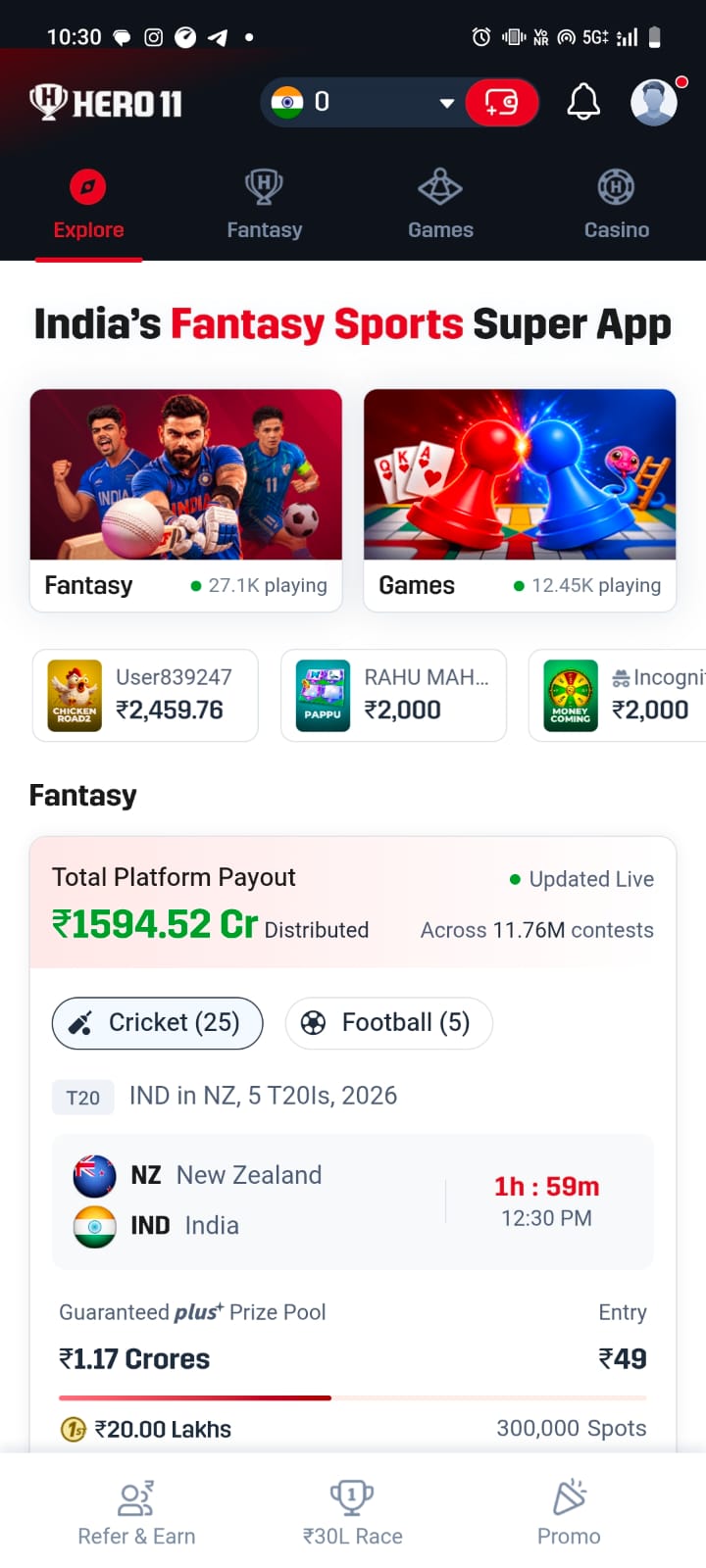
- When a user logs in (illustrated in screenshot 1), the authentication button is replaced by:
1. An account avatar circle with an active alert indicator badge.
2. A notification bell icon for system messages and contest outcome notifications.
3. A wallet balance display showing available funds in Indian Rupees.
Wallet, Currency & Balance Counter
In screenshot 1 and screenshot 2, the authenticated header displays:
- A national flag indicator (the Indian Tricolor) signaling currency localization.
- A numerical balance counter (e.g., ₹ 0).
- A red capsule wallet icon with a white plus sign (+) that opens the cashier deposit overlay.
- A downward disclosure chevron allowing users to inspect bonus coin balances versus withdrawable cash reserves.
For questions regarding deposit limits and verification procedures, check our Hero11 FAQ directory.
Primary Navigation System: The Four Hubs
Immediately below the top brand bar sits the application's central nervous system: a horizontal category tab selector featuring custom vector iconography and an active red underline indicator.
The four primary sections are:
1. Explore (Compass Icon): The central discovery home feed combining high-priority game tiles, promotional super-banners, and live community payout tickers.
2. Fantasy (Trophy Shield Icon): The dedicated tournament lobby hosting cricket and football contests. Detailed contest rules are analyzed in our Hero11 fantasy sports guide.
3. Games (Dice/Geometric Icon): The casual and instant-win gaming lobby.
4. Casino (Ornate Chip/H Icon): The virtual table, card, slot, and crash game directory.
This tab bar remains anchored to the top of the viewport during vertical scrolling, ensuring users can instantly switch gaming contexts without having to navigate back to a home screen.
Deep Dive: The Explore Tab Interface
The Explore tab serves as the primary gateway for users landing on the platform. In screenshot 3, the page opens with an authoritative headline banner declaring Hero11 as "India's Fantasy Sports Super App".
Category Entry Cards
Below the main headline, Hero11 renders two wide, highly visual category entry cards:
- Fantasy Card: Features imagery of Indian national cricket and football athletes, accompanied by an active indicator reading 27.1K playing (or 25.07K in screenshot 7). Tapping this card jumps directly into the cricket contest lobby.
- Games Card: Features glossy 3D board game pawns (Ludo), playing cards (Ace, King, Queen), and snakes-and-ladders graphics, with a counter displaying 12.45K playing.
Hot Picks Carousel & Player Count Metrics
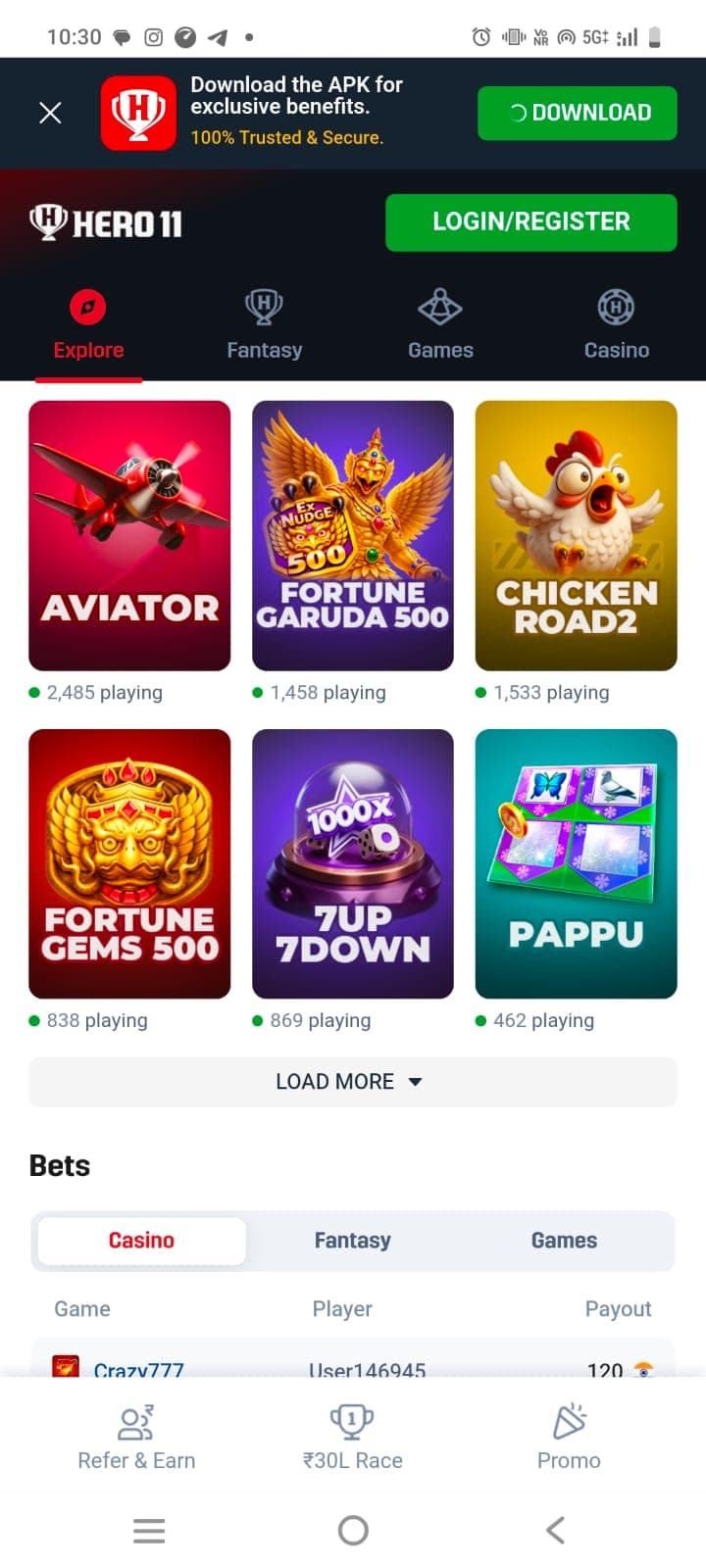
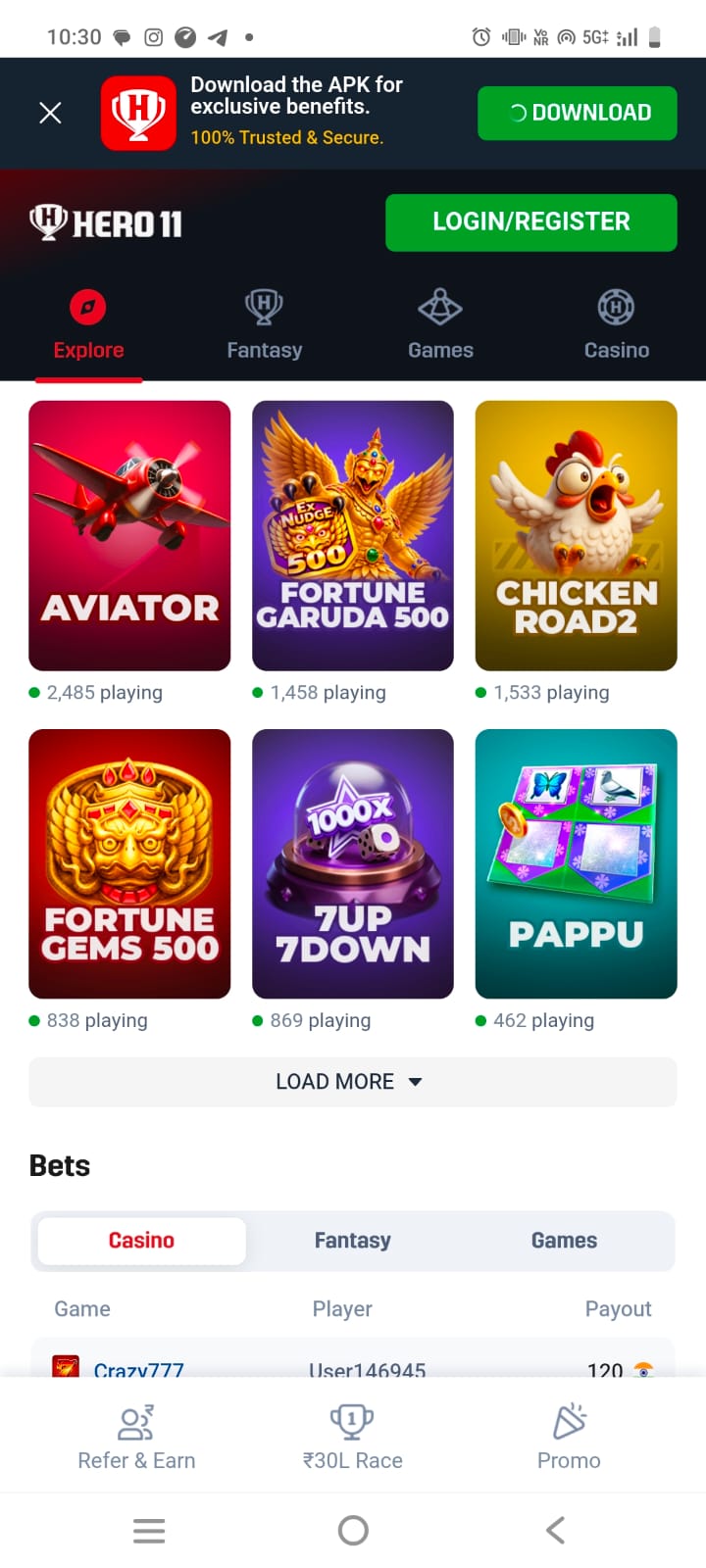
Directly beneath the category cards sits the Hot Picks catalog. In screenshot 2, the header indicates Hot Picks (51), signifying that over 50 titles are curated within this featured collection.
Each game card displays:
- A high-resolution graphic cover.
- A bold title in uppercase typography (e.g., AVIATOR, FORTUNE GARUDA 500, CHICKEN ROAD 2).
- A live green activity dot paired with real-time active participant numbers (e.g., 2,706 playing, 1,589 playing, 1,666 playing).
A full analysis of the mathematical models and interface layouts for these games is documented in our Hero11 games guide.
The Live Bets Ticker Mechanism
One of the most distinctive social proof components on Hero11 is the Bets table, visible in screenshot 2 and screenshot 4.
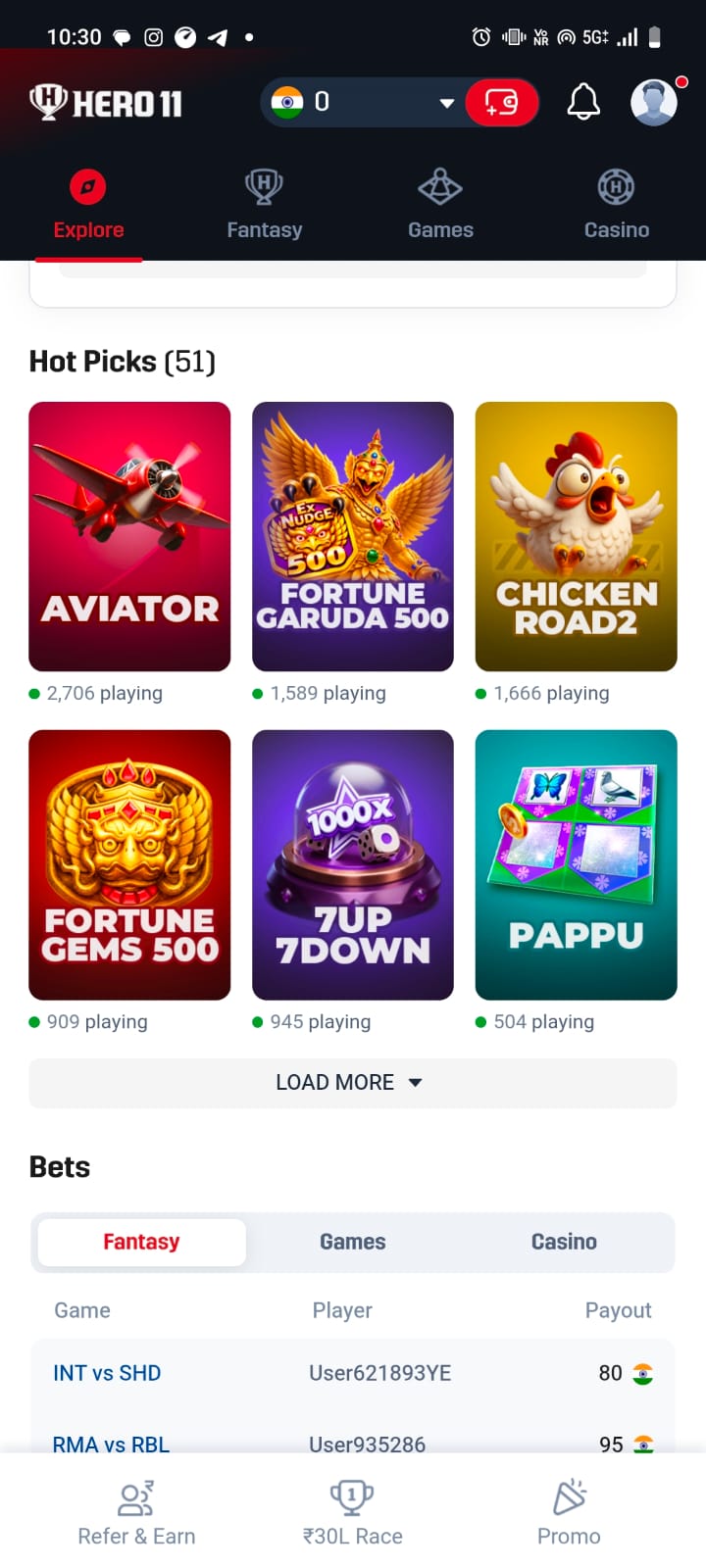
The table is segmented into three interactive tabs:
- Fantasy: Lists user winnings from concluded or live matches (e.g., INT vs SHD paying ₹80 to User621893YE; RMA vs RBL paying ₹95 to User935286).
- Games: Tracks payouts across arcade and instant multiplier titles.
- Casino: Tracks slot and table game wins (e.g., Crazy777 paying ₹120 to User146945 in screenshot 4).
Below the card grid, an accessible LOAD MORE button expands the catalog dynamically without requiring pagination reloads.
Deep Dive: The Casino Tab & Game Grid
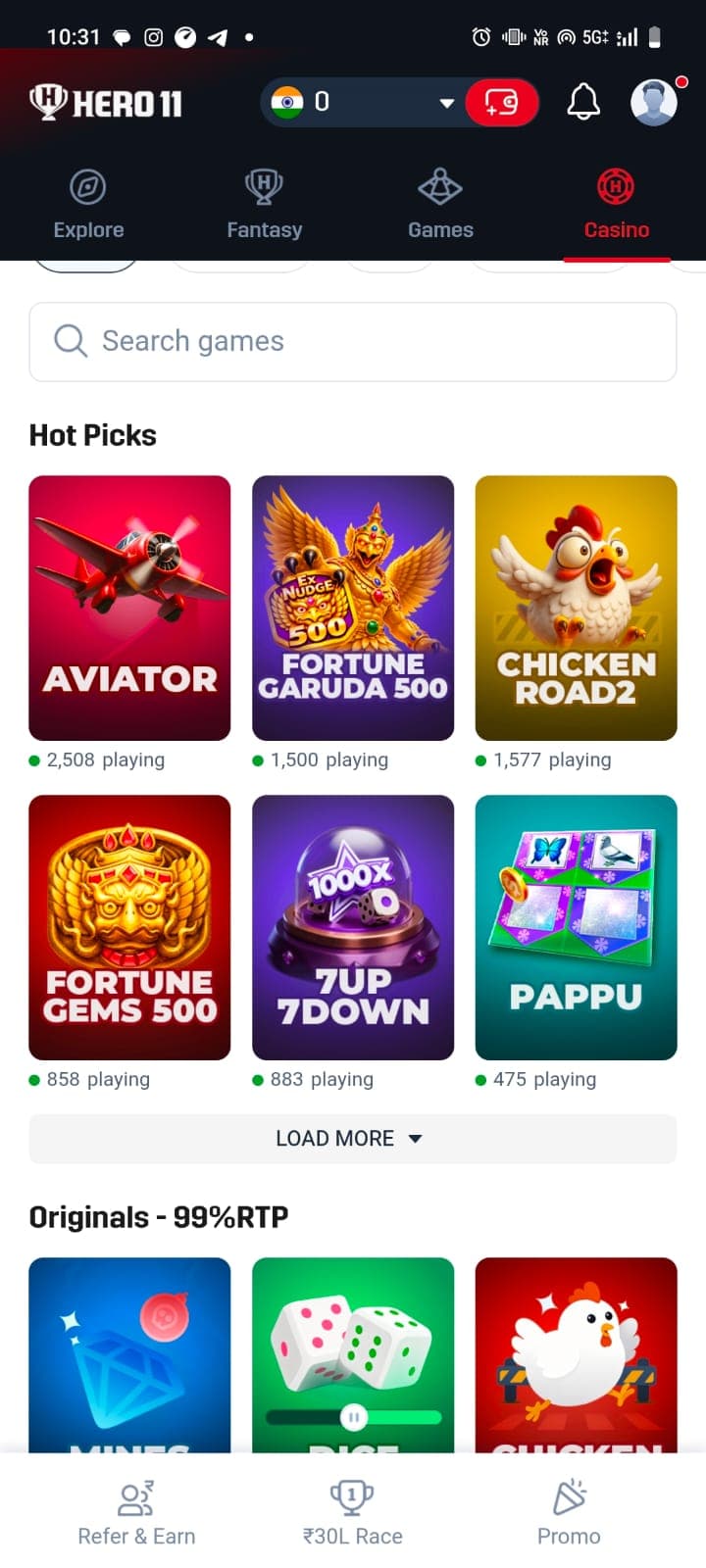
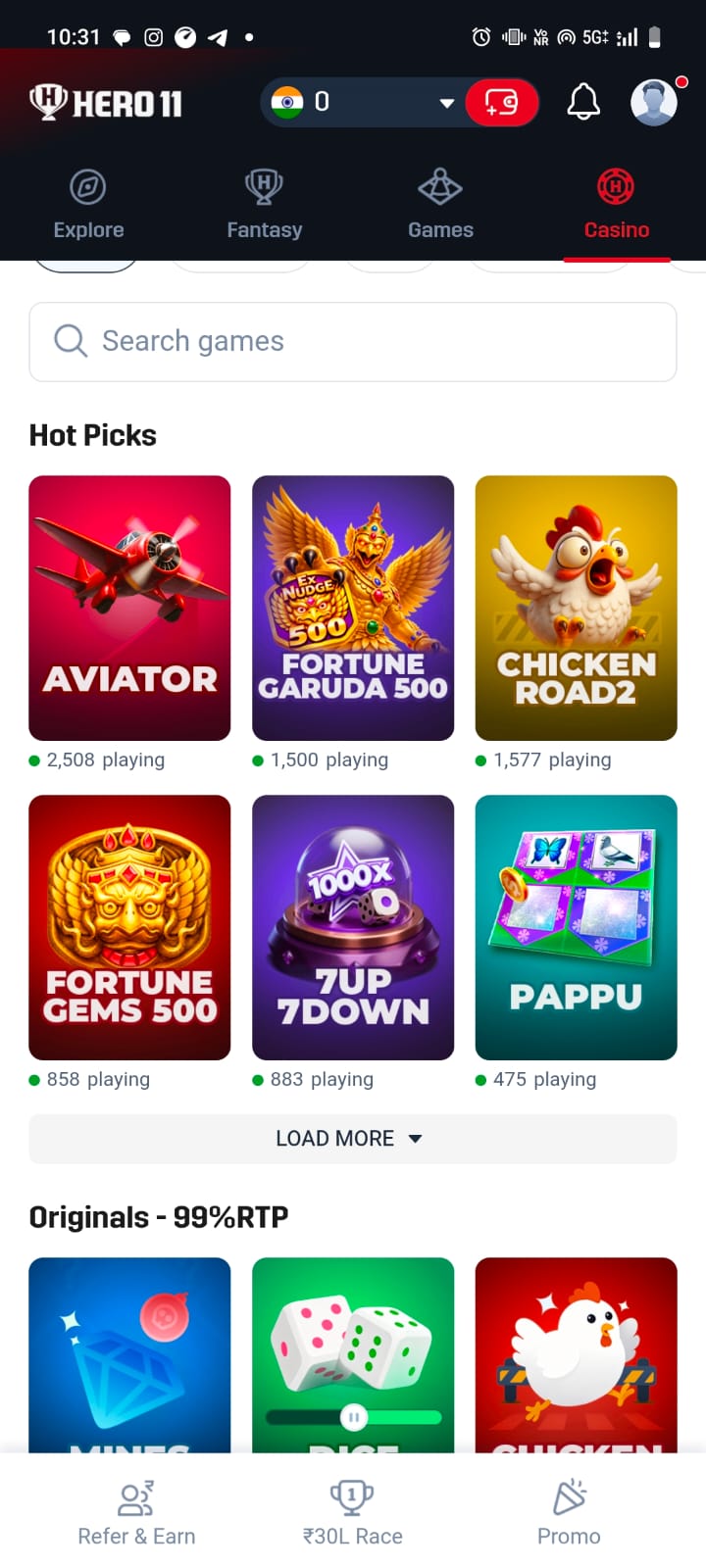
Tapping the Casino tab (as illustrated in screenshot 1) refocuses the interface entirely on simulated gaming.
Key interface elements include:
1. Search Games Bar: An accessible search input with a magnifying glass icon allowing keyword lookups across the game catalog.
2. Hot Picks Grid: Displays the top six trending casino titles in a balanced 3x2 card grid on mobile viewports:
- Aviator (Crash multiplier)
- Fortune Garuda 500 (Mythological slot simulation)
- Chicken Road 2 (Stepped obstacle arcade)
- Fortune Gems 500 (Jewel matching slot)
- 7Up 7Down (Two-dice total prediction)
- Pappu (Regional Indian board card wagering)
3. Originals - 99% RTP Strip: An exclusive section highlighting proprietary titles such as Mines, Dice, and Chicken, prominently promoting a theoretical 99% Return to Player benchmark.
For complete coverage of the rules and financial risks inherent in these formats, visit our Hero11 casino page.
Deep Dive: The Fantasy Sports Hub
As highlighted in screenshot 3 and screenshot 7, the Fantasy interface is tailored for sports analysts and fantasy participants.
The interface is structured around three modular components:
1. Lifetime Platform Metric Banner
A prominent soft-red panel displays:
- Total Platform Payout: ₹1594.52 Cr Distributed Across 11.76M contests
- A green status pulse marked Updated Live.
2. Sport Filter Selector Pills
Users can toggle between supported sports:
- Cricket (25): Marked with a crossed cricket bat icon, displaying the number of open fixtures.
- Football (5): Marked with a classic soccer ball icon.
3. Match Contest Cards
Each upcoming fixture is encapsulated in a dedicated card displaying:
- Tournament Header: e.g., T20 IND in NZ, 5 T20Is, 2026.
- Teams & Flags: High-resolution flag badges for New Zealand (NZ) and India (IND).
- Match Countdown: A red countdown timer (e.g., 1h : 59m, 12:30 PM).
- Financial Terms:
- Guaranteed plus+ Prize Pool: ₹1.17 Crores.
- Entry Fee: ₹49.
- 1st Place Prize: ₹20.00 Lakhs.
- Capacity: 300,000 Total Contest Spots.
To learn how team building, credit caps, and captaincy multipliers function, read our Hero11 fantasy sports guide.
Deep Dive: The Promo Interface
Captured in screenshot 5, the Promo tab presents an editorial vertical stream of promotional cards.
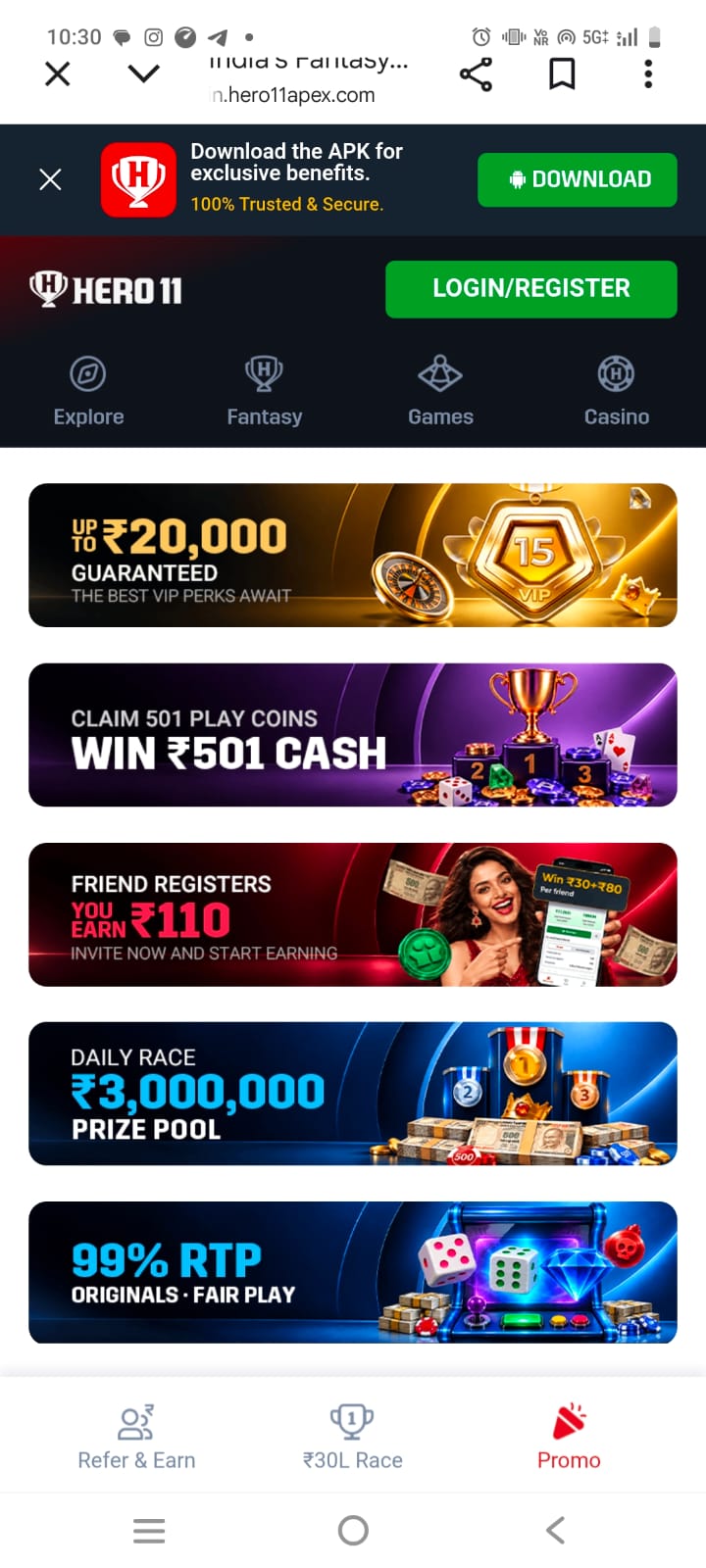
The five primary campaigns visible include:
1. VIP Perks Ladder: A luxury golden banner featuring a 15-star VIP badge and roulette wheel advertising "Up to ₹20,000 Guaranteed — The Best VIP Perks Await".
2. Play Coins Cash Voucher: A purple podium banner reading "Claim 501 Play Coins — Win ₹501 Cash".
3. Referral Reward Teaser: A dark crimson banner featuring an Indian brand ambassador pointing to a smartphone: "Friend Registers — You Earn ₹110 — Invite Now and Start Earning".
4. Daily Race Leaderboard: A blue podium graphic announcing a "Daily Race — ₹3,000,000 (₹30 Lakh) Prize Pool" with bundles of ₹500 currency notes.
5. Fair Play Guarantee: An arcade cabinet banner stating "99% RTP — Originals • Fair Play".
Our investigative article on Hero11 promotions explained analyzes the validity, wagering requirements, and terms governing these offers.
Deep Dive: Refer & Earn Dashboard
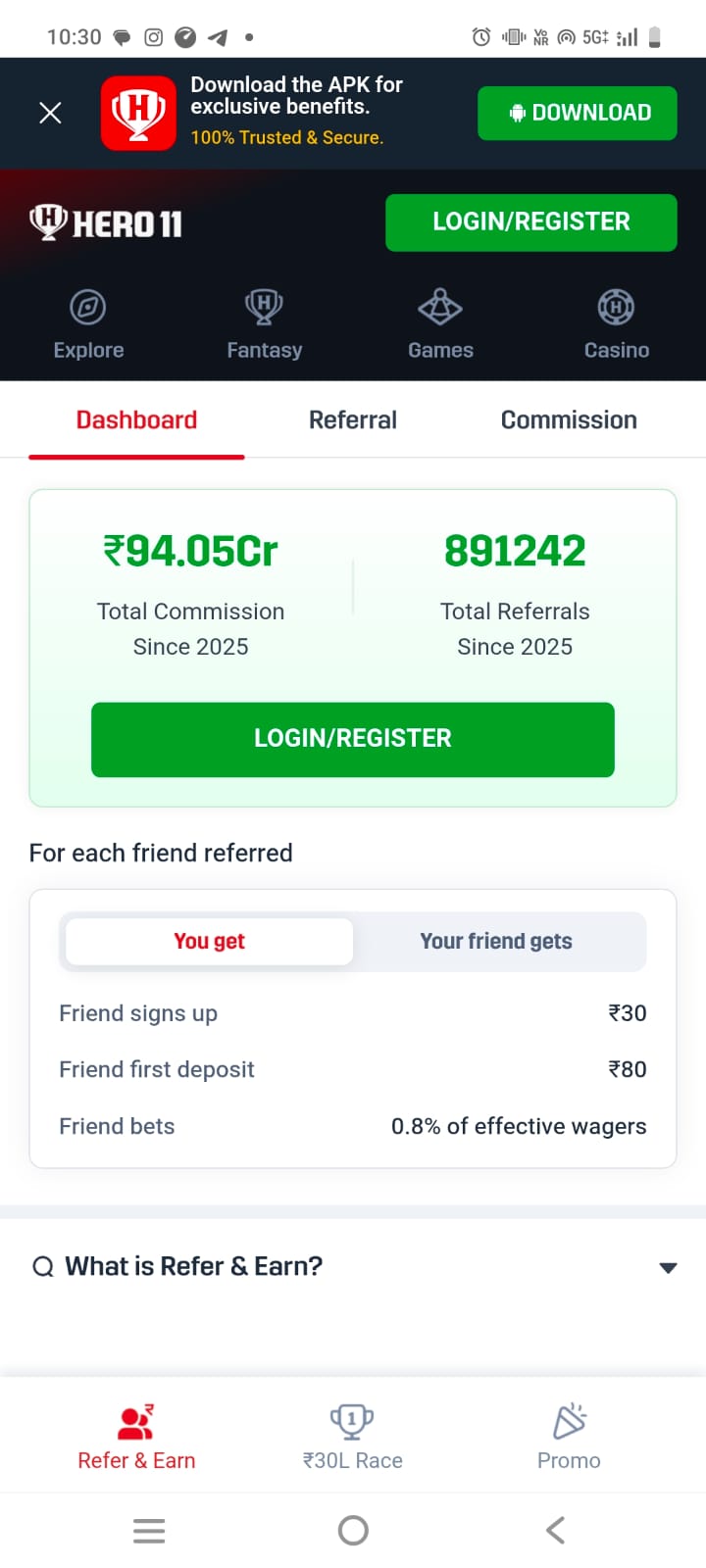
The Refer & Earn portal (screenshot 6) provides participants with a dedicated marketing analytics dashboard.
Dashboard Architecture
The screen is divided into three horizontal sub-tabs:
- Dashboard: High-level platform statistics and compensation tier tables.
- Referral: Active list of invited accounts and their registration dates.
- Commission: Detailed ledger of daily affiliate earnings and withdrawal histories.
Key Metrics & Tiered Rewards
- ₹94.05Cr Total Commission Since 2025
- 891,242 Total Referrals Since 2025
Under the reward breakdown box (You get / Your friend gets):
- Friend signs up: ₹30 credit.
- Friend first deposit: ₹80 credit.
- Friend bets: 0.8% of effective wagers as ongoing passive commission.
Explore the complete program terms on our Hero11 refer and earn page.
The Persistent Bottom Navigation Bar
To ensure seamless thumb reachability on mobile devices, Hero11 incorporates a sticky bottom navigation bar with three primary tabs:
1. Refer & Earn (People Icon): Quick access to the referral management console.
2. ₹30L Race (Trophy Icon): Direct link to the real-time daily turnover leaderboard.
3. Promo (Megaphone Icon): The active promotional offers and bonus claims catalog.
When combined with the top horizontal category tabs, this dual-navigation paradigm ensures that sports, casino games, promotions, and account rewards are never more than a single tap away.
APK Sideloading, Permissions & Security Protocol
Because Hero11 distributes its Android package directly outside the Google Play Store, users must understand the technical security implications of APK sideloading.
Step-by-Step Installation Process
1. Download: The user initiates the APK download from the platform web portal (e.g., in.hero11apex.com).
2. Security Prompt: Android displays a warning: "File might be harmful. Do you want to download Hero11.apk anyway?"
3. Allow Unknown Sources: The user navigates to Settings > Apps > Special App Access > Install Unknown Apps and grants permissions to their web browser.
4. Package Verification: Android Package Installer analyzes the manifest and prompts the user to finalize installation.
Android Permissions Audit
Before authorizing installation, users should inspect the requested application permissions:
- Network Access: Essential for real-time game state synchronization.
- Storage/Media Access: Required for caching game assets, though modern apps should utilize scoped storage.
- SMS & Contacts (High Risk): Users should strictly refuse permissions to read SMS messages or contacts, as legitimate fantasy operators only require manual entry of SMS verification OTPs.
For an extensive examination of data protection laws, IT Act compliance, and player privacy, consult our detailed analysis of Hero11 safety, privacy, and online gaming regulations in India.
Frequently Asked Questions
Can I install Hero11 on my iPhone?
Hero11 does not maintain a native iOS App Store listing due to Apple's gaming policies. iOS users generally access the platform through mobile web browsers like Safari.
Why does Android warn me that the APK might be harmful?
Android displays this standard security notification whenever any application package is downloaded outside the curated Google Play Store, regardless of the developer's identity.
How do I update the Hero11 application?
Because sideloaded apps cannot update automatically via the Play Store, the app incorporates an in-app updater prompt whenever a new build is deployed to the operator's servers.